Wrangler Deploy Custom Domain Pinned
What Happened
After a Day 48 oil model refresh, the user reloaded alejandro-gutierrez.com/projects/oil and saw April 16 data. The git push to the public-lab repo succeeded, the build ran locally, and R2 data uploaded. The custom domain still served the pre-refresh bundle. The user asked: “why is it still showing april 16?”
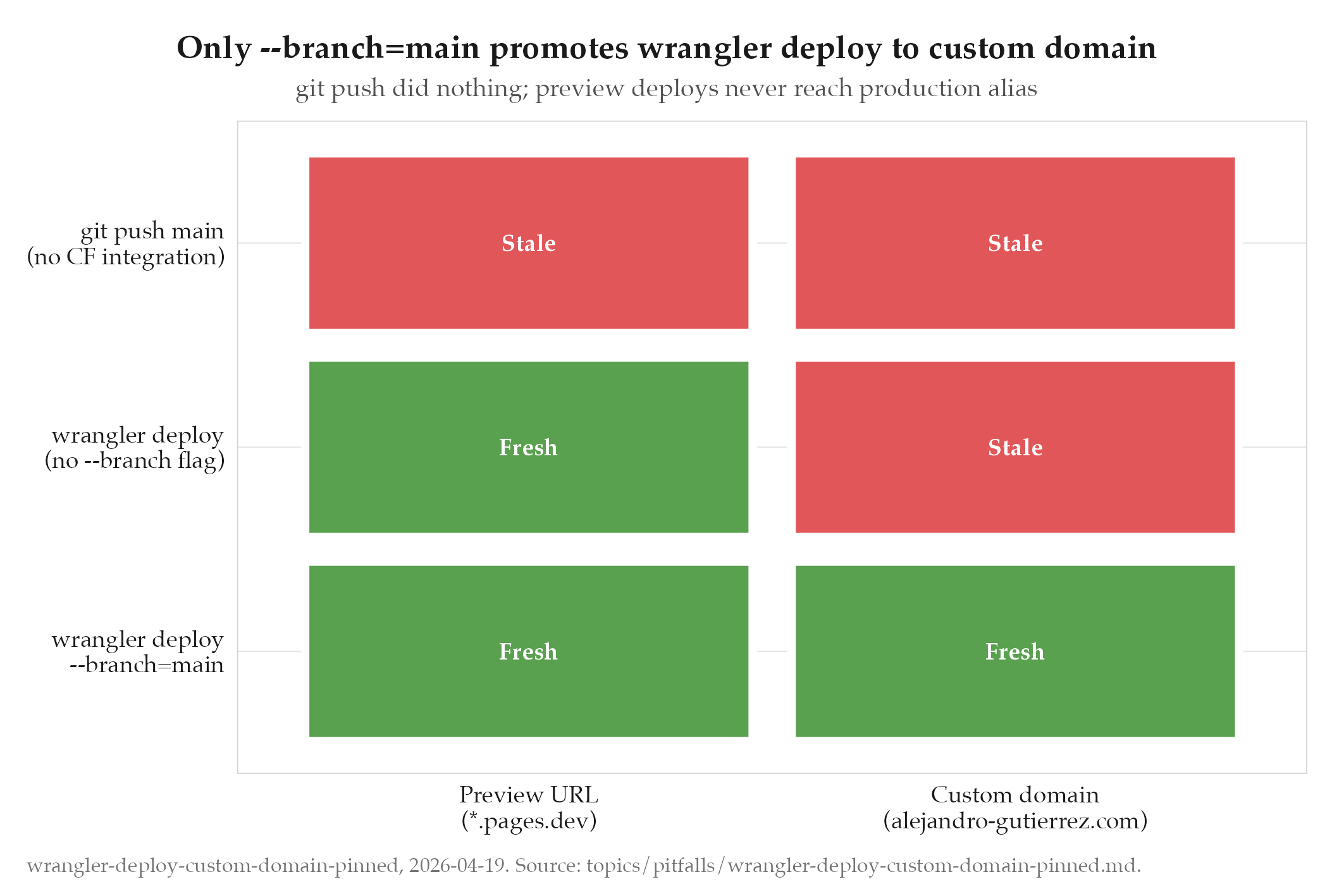
The fix was running npx wrangler pages deploy dist/ --project-name gutierrez-public-lab directly. First attempt omitted --branch=main and created a preview deployment at 807a418f.gutierrez-public-lab.pages.dev. The preview URL served the new bundle, but alejandro-gutierrez.com kept serving the old one. Only --branch=main promoted the deploy to the production alias.
Root Cause
The gutierrez-public-lab Cloudflare Pages project is not Git-integrated. Pushes to the main branch on GitHub do not trigger a Cloudflare Pages build. The deploy path is manual: wrangler pages deploy dist/.
Without the --branch=main flag, wrangler creates a preview-type deployment. Preview deployments are not promoted to the “production alias” that the custom domain points to. They are reachable only via their unique preview URL. The production alias continues serving whatever deployment was last promoted.
Two failure modes stacked:
- Believing git push was enough, because git push worked for other Cloudflare Pages projects that are Git-integrated.
- Running wrangler once, seeing “Deployment complete”, and assuming the new bundle was live on the custom domain.
The “Deployment complete” message is truthful; the deployment did succeed. It just wasn’t promoted to production.
How to Avoid
-
Deploy the oil public-lab via
npx wrangler pages deploy dist/ --project-name gutierrez-public-lab --branch=main --commit-dirty=true. The--branch=mainflag is mandatory for the custom domain to update. -
Verify after deploy by bundle hash, not by visible page text (text may be cached):
curl -sS https://alejandro-gutierrez.com/projects/oil/ | grep -oE '/_astro/OilDashboard\.[^"]*'
ls ~/Documents/public-lab/dist/_astro/OilDashboard*.js
Both must show the same hash.
-
Treat “wrangler deployment complete” as success of upload, not success of production rollout. The custom-domain bundle hash is the acceptance check.
-
oil/scripts/sync-public-lab.shfinal message now prints the wrangler command.oil/CLAUDE.md“Public Lab Sync” section documents the mechanics.
Related
- projects/oil/_index : parent project
- cloudflare-pages-deployment-pain : earlier CF Pages deploy battle (redcorsair, 2025-08), general guidance to use wrangler CLI over the GitHub Action
- vercel-deploy-not-git-sync : similar class of incident on jobs-apply (Vercel), “git sync is not live deploy”