R2 Browser Heuristic Cache Stale Data
What Happened
After both the wrangler deploy and the hydration crash were fixed, prod bundle hash matched local, and R2 served the fresh Day 48 data, the user reloaded the oil dashboard and saw “Updated Apr 16” with stale numbers. The user asked, now for the third time in the session: “why is the model showing april 16 still?”
R2 had cur: 83.85, today: 48, _updated: 2026-04-17T22:12:00Z. The page rendered the April 16 constants. The fetch was going somewhere that returned old data.
Root Cause
The oil dashboard fetches ten JSON files from data.alejandro-gutierrez.com/oil/*.json. The R2 bucket behind that custom domain does not set a Cache-Control header on responses. The headers that come back look like:
etag: "e06f9650311200df8acbd53e94585807"
last-modified: Sat, 18 Apr 2026 02:30:50 GMT
cf-cache-status: DYNAMIC
cf-cache-status: DYNAMIC means Cloudflare itself is not caching the response; every request hits origin. That part is correct.
But without an explicit Cache-Control directive, browsers apply a heuristic cache based on the Last-Modified header. Chrome’s heuristic caches the response for approximately 10% of the time elapsed between Last-Modified and now. If the constants.json had last been modified at Apr 16 19
The fetch code did not help:
const res = await fetch(url);No cache: 'no-store', no cache-busting query parameter. The browser was free to serve the stale response for as long as its heuristic allowed.
The user’s experience was: R2 is correct, the deploy is correct, the page is wrong. Two previous layers of misdirection already ruled out the obvious suspects. The remaining suspect was the only one left: the browser’s own HTTP cache.
How to Avoid
-
Cache-bust at fetch time.
data-loader.ts::fetchJsonnow appends?t=${Date.now()}to every URL and passes{ cache: 'no-store' }. Each page load fetches fresh from R2:const url = `${BASE_URL}/${filename}?t=${Date.now()}`; const res = await fetch(url, { cache: 'no-store' }); -
The one-time cost: the first reload after this fix deploys still requires a hard reload because the OLD cached bundle lacks cache-busting. After that, every page load is immune.
-
Better long-term fix: set an explicit
Cache-Controlheader on the R2 custom domain via a Cloudflare Worker or R2 custom metadata. Something likeCache-Control: public, max-age=60, stale-while-revalidate=300. That keeps fast-path reloads cheap while guaranteeing staleness is bounded. -
When debugging “data looks stale after deploy”:
- First: confirm R2 has the new bytes (
curl -sS "https://.../constants.json" | python3 -c ...). - Second: confirm the prod bundle hash matches local
dist/. - Third: check the response headers on the data URL for
Cache-Controlandcf-cache-status. Absent orDYNAMICcache-status means the browser is free to cache heuristically. - Fourth: add cache-bust to the fetch and redeploy.
- First: confirm R2 has the new bytes (
Why Three Incidents in One Session
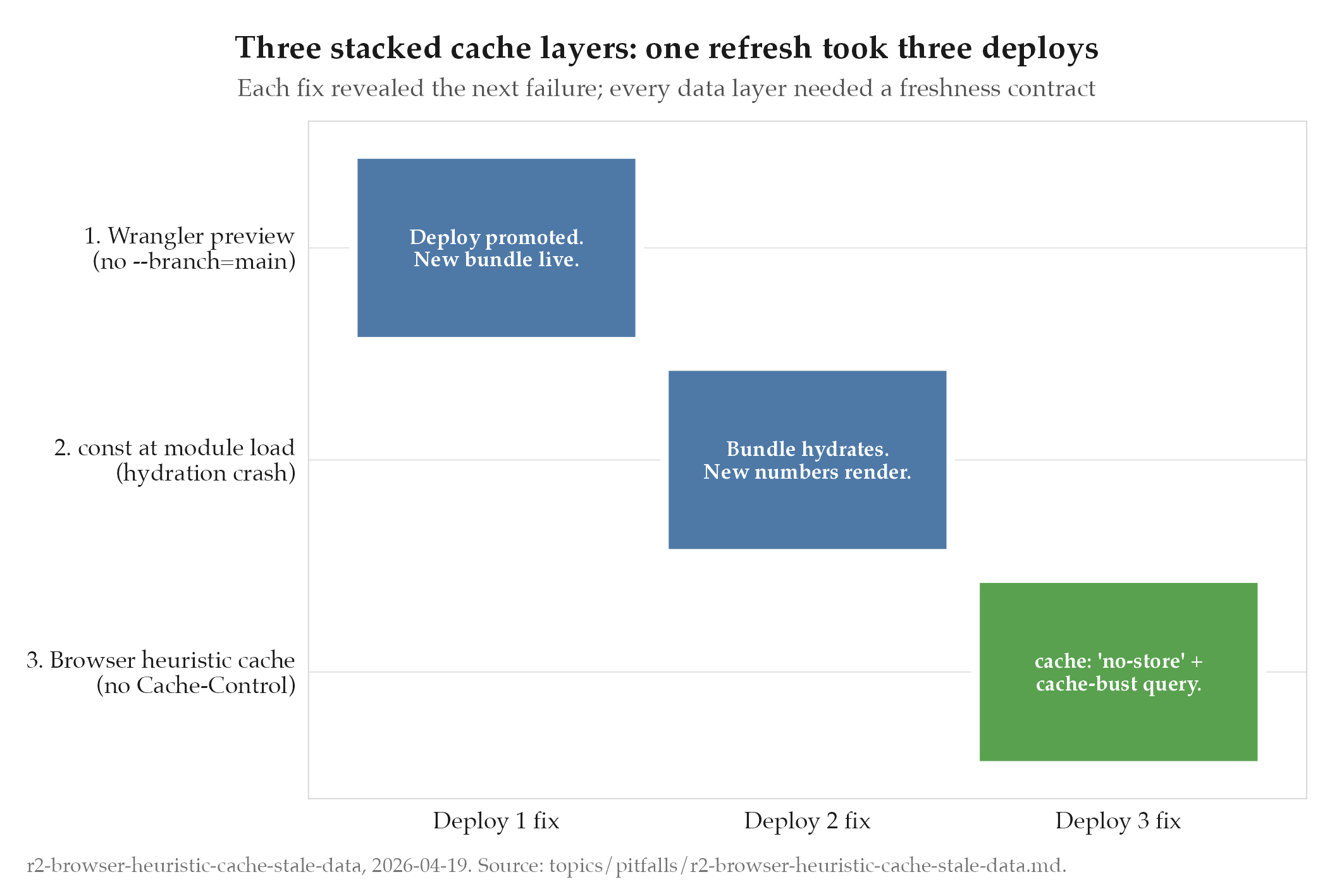
This was failure three in a three-failure chain that all presented as “stale dashboard”:
- wrangler-deploy-custom-domain-pinned : the prod bundle was still the old one because wrangler without
--branch=mainonly deployed a preview. - const-at-module-load-breaks-runtime-injection : the new bundle crashed on hydration, the dashboard disappeared, and the “prior” page that remained visible was actually the stale-cached render of the old bundle.
- This one: even after the first two were fixed, the user’s browser still held the pre-refresh JSONs.
Each failure masked the next. Diagnosis had to be linear. The fix for 1 revealed 2. The fix for 2 revealed 3. The meta-lesson: when every layer between your data and the user’s eyes lacks a freshness contract, a single refresh can take three deploys to be visible.
Related
- projects/oil/_index : parent project
- wrangler-deploy-custom-domain-pinned : companion pitfall from the same incident
- const-at-module-load-breaks-runtime-injection : companion pitfall from the same incident