Linkedin Stale Job Inventory
What Happened
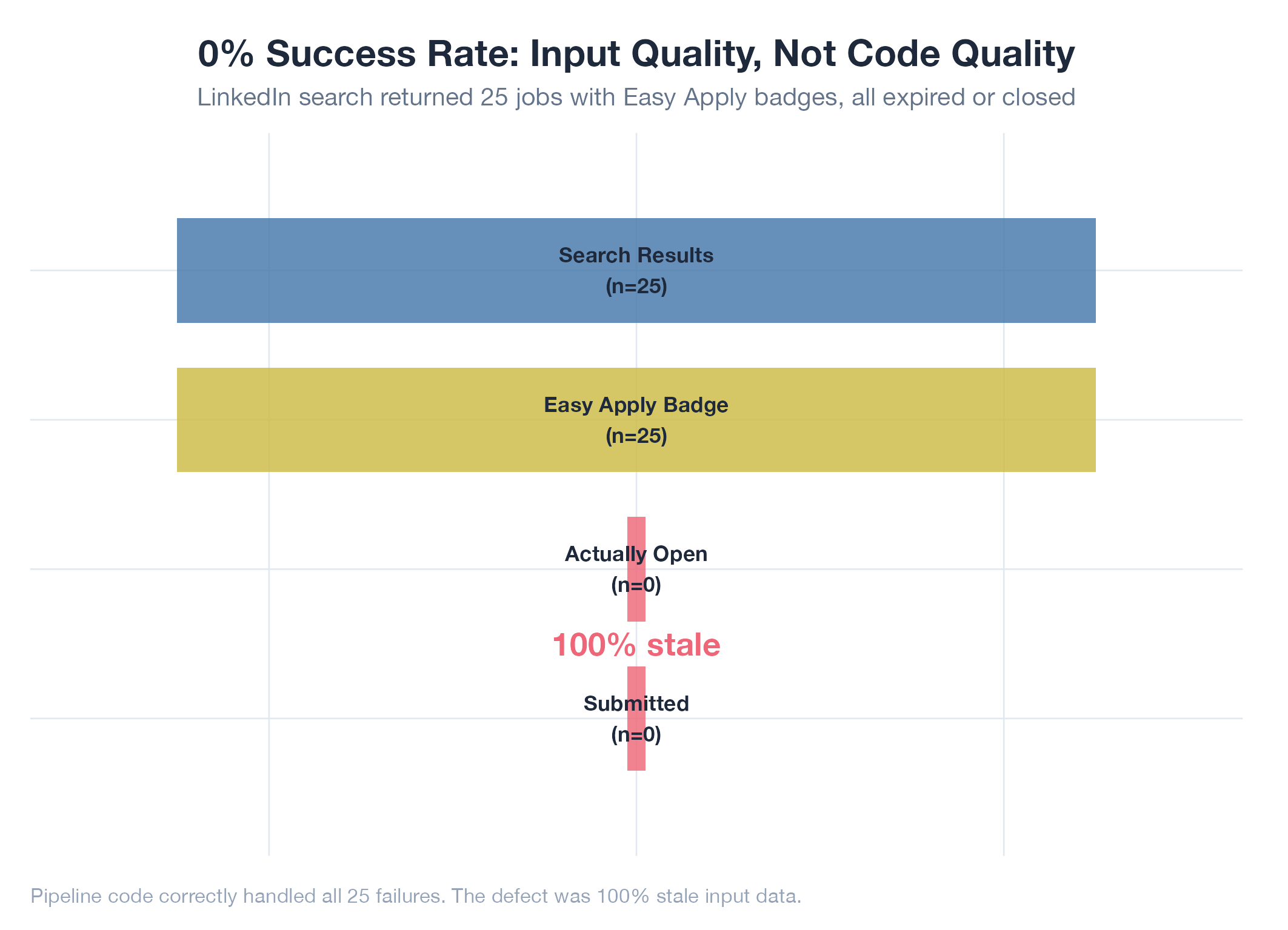
LinkedIn’s search API/UI returned jobs showing “Easy Apply” badges that were actually expired/closed when navigated to. This produced a 0% success rate across 25 LinkedIn applications: NOT because of code bugs but because 100% of discovered jobs were stale.
Root Cause
LinkedIn’s search index is severely lagged behind job state. Jobs that have been filled, closed, or expired continue appearing in search results with active “Easy Apply” badges for days or weeks. The code correctly detected and fast-failed on expired jobs (failure codes F14, F15, F18 in the iteration plan all worked), but every single job processed was already dead.
Fix
Added freshness filtering during extraction phase: checking job posting date and rejecting anything older than a configurable threshold. Also added detection of “no longer accepting applications” and “this job has expired” page states before attempting to fill.
Lesson
When an automation pipeline has 0% success rate, the failure might not be in your code at all. It can be in the quality of your input data. All 25 LinkedIn failures were correctly handled: the code worked perfectly on jobs that couldn’t succeed. Always measure input quality separately from pipeline quality.