Linkedin Shadow Dom Locator Fix
LinkedIn Easy Apply Modal in Shadow DOM: querySelectorAll Finds Nothing
What Happened
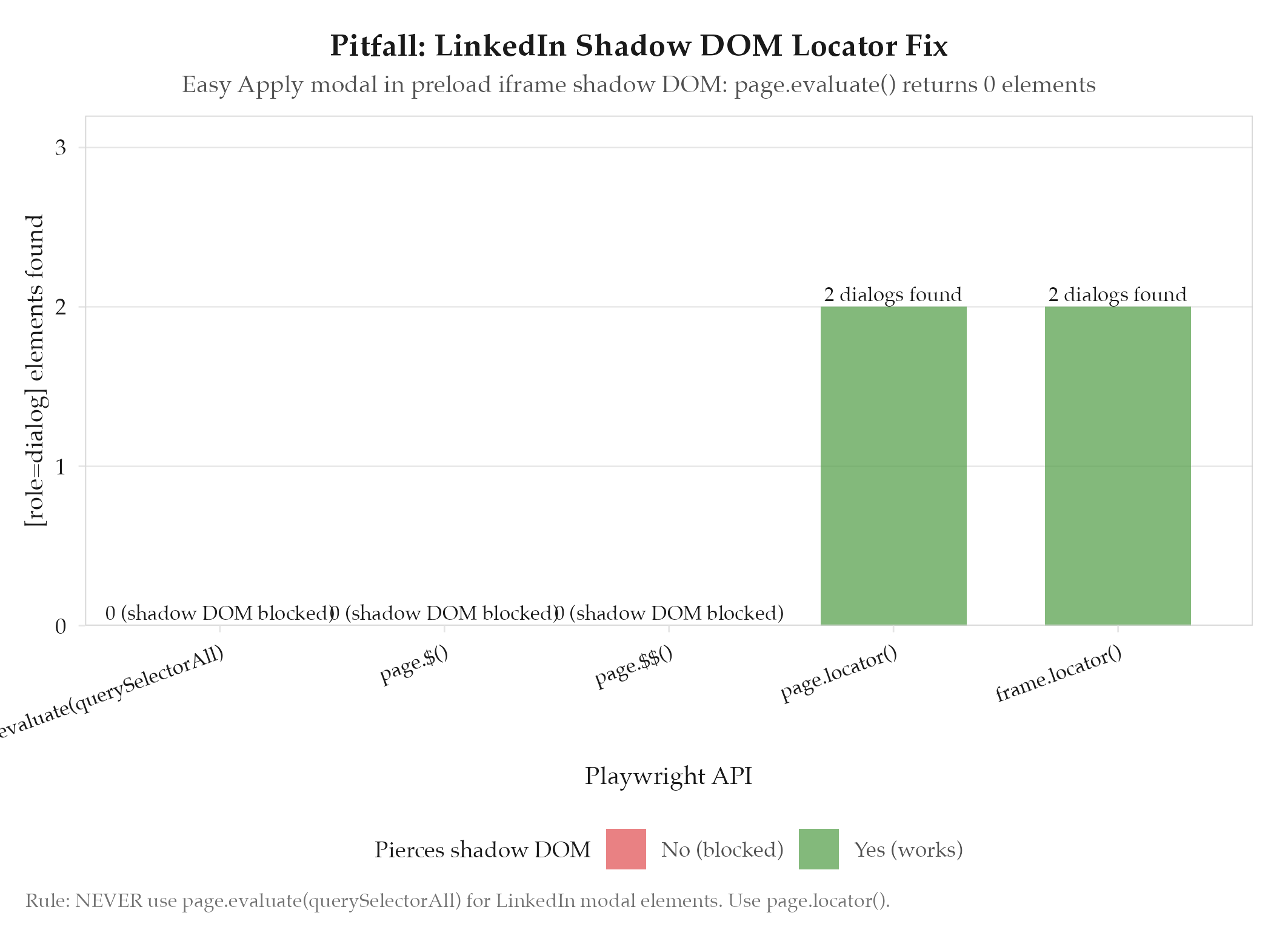
LinkedIn’s Easy Apply modal is rendered inside a shadow DOM within a full-viewport preload iframe (https://www.linkedin.com/preload/). We called page.evaluate(document.querySelectorAll('[role="dialog"]')) to locate the modal and got 0 elements back: even though the modal was visually open and clearly visible in screenshots. The apply flow was completely broken for any job using the Easy Apply flow.
Root Cause
See definitions/root-cause-analysis for the analytical framework. Specific cause: page.evaluate() runs in the main page context and cannot pierce closed shadow DOM boundaries. LinkedIn’s Easy Apply modal lives inside a shadow root within a preload iframe: two layers of isolation. The modal elements simply do not exist from the perspective of querySelectorAll called in the page context. The DOM query succeeds (returns an empty NodeList) with no error, so the failure looks like the modal is not open yet rather than a selector scoping problem.
How to Avoid
Use Playwright locator() API: it pierces open shadow DOM automatically:
page.locator('[role="dialog"]').count()finds 2 elements wherequerySelectorAllfound 0- Convert all
page.$()/page.$$()calls topage.locator().all()+.elementHandle() - Add a
_modalScope()helper for iframe-aware button scoping - Dismiss dialog methods always search the main frame (
_realPage)
When working on the LinkedIn adapter: NEVER use page.evaluate(querySelectorAll) for modal elements. Always use page.locator() / frame.locator().
Related
- projects/jobs-apply/_index: parent project
- jobs-apply: project context
- linkedin-behavioral-detection: related LinkedIn pitfall