Cloudflare Pages Deployment Pain
What Happened
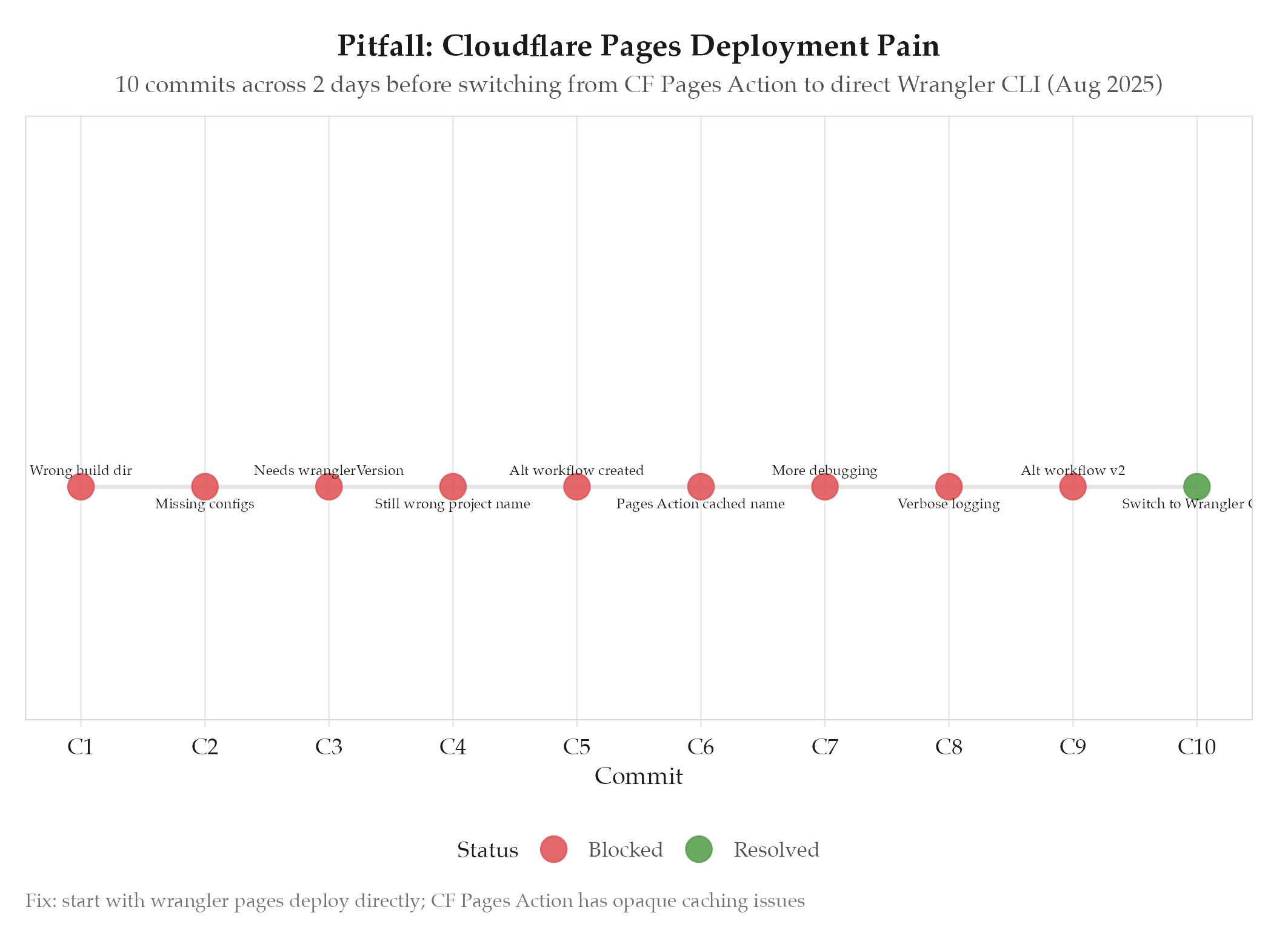
Deploying an Astro site to Cloudflare Pages via GitHub Actions took 10 commits across 2 days (Aug 19-20, 2025). The Cloudflare Pages Action cached an incorrect project name and refused to use the correct one. Multiple rounds of debugging, alternative workflows, and verbose logging before switching to direct Wrangler CLI.
Root Cause
The Cloudflare Pages GitHub Action caches the project name internally and ignores overrides in the workflow YAML once it has been used once. When the project was reorganized (website moved from a subdirectory to the root), the cached project name pointed to a stale or incorrect Cloudflare project and there was no documented way to clear it. The failure cascade:
- Initial deploy: wrong build directory (
business/website/distinstead ofdist) - Fixed paths: missing config files (
astro.config.mjs,tailwind.config.mjs,package.json) - Added config files: Action needed explicit
wranglerVersion - Added debugging: created an alternative workflow with direct Wrangler
- Alternative workflow: still used the cached wrong project name
- Resolution: replaced the Cloudflare Pages Action entirely with
wrangler pages deploy
How to Avoid
- Start with direct Wrangler CLI deployment, not the Cloudflare Pages GitHub Action : the Action has caching issues with project names
- Test deployment manually with
wrangler pages deploy dist --project-name=Xbefore writing CI/CD - When restructuring a project (moving website from subdirectory to root), update ALL path references in one commit rather than iterating
- If a GitHub Action has opaque caching behavior, drop to the CLI tool directly
Evidence
10 of 12 August 2025 commits in redcorsair were deployment-related. Commits d1a87d7 through f475de1 show the progression from “fix paths” to “give up on Action, use Wrangler CLI directly.”
Related
- projects/redcorsair/_index : parent project
- redcorsair-railway-deployment-saga : related Railway deployment battle on the same project
- 2025-08