Proactive modal scrolling and CDP select placeholder detection will reduce timeout failures from dropdown fields
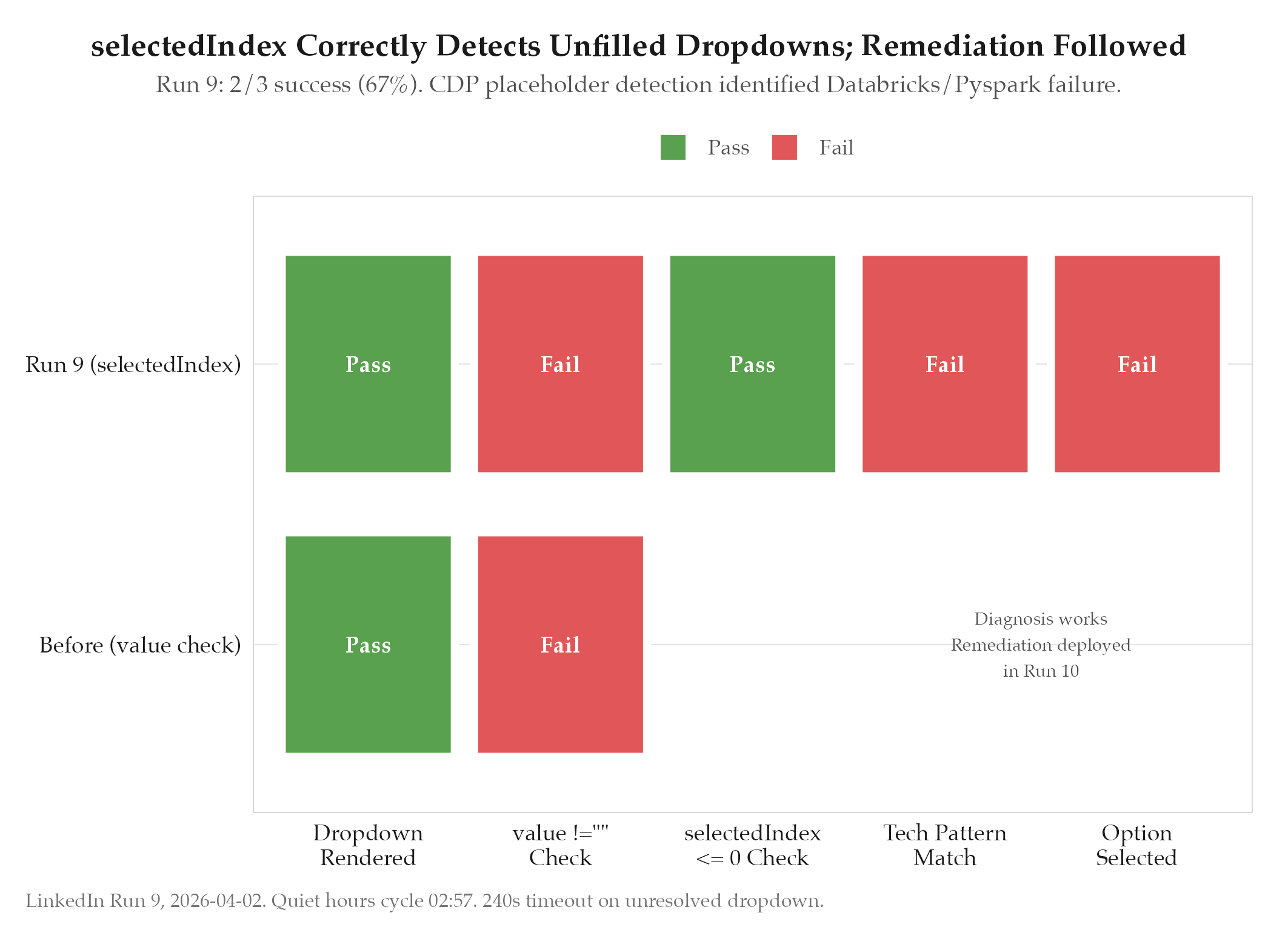
2/3 = 67% during quiet hours. 1 failure: 240s timeout on screening question dropdown (Databricks/Pyspark). CDP select detection identified the issue b
HypothesisProactive modal scrolling and CDP select placeholder detection will reduce timeout failures from dropdown fields
2/3 = 67% during quiet hours. 1 failure: 240s timeout on screening question dropdown (Databricks/Pyspark). CDP select detection identified the issue but fix wasn't deployed until Run 10.
Changelog
| Date | Summary |
|---|---|
| 2026-04-06 | Audited: added Changelog, domain tag career, stamped last_audited |
| 2026-04-02 | Initial creation |
Hypothesis
Proactive modal scrolling and [[definitions/chrome-devtools-protocol|CDP]]-based select placeholder detection will reduce timeout failures caused by dropdown fields that appear selected but still have their placeholder option active. The previous runs showed that LinkedIn’s select dropdowns sometimes display a value visually but have selectedIndex still pointing to the placeholder (index 0). The standard value-based check (select.value !== "") misses these cases because the placeholder option can have a non-empty value attribute. Checking selectedIndex <= 0 is a more reliable signal.
Method
Three changes deployed before Run 9:
Proactive scroll: Instead of scrolling only when a specific element is out of view, the system now scrolls the modal container before processing each form section. This ensures that all form elements in the current section are in the viewport before interaction begins, preventing the silent click failures from F40.
CDP select placeholder detection: Changed the select validation logic from checking select.value !== "" to checking select.selectedIndex <= 0. This catches the case where a select dropdown has a placeholder option with a non-empty value (e.g., <option value="Select...">Select...</option>). When selectedIndex is 0 or -1, the select is still on its placeholder regardless of the value attribute.
Autocomplete fix for city/location fields: LinkedIn’s city fields use an autocomplete dropdown that appears after typing. Previously, the system typed the full city name and moved on, but LinkedIn’s validation requires selecting from the autocomplete dropdown. Fix: after typing in a city/location field, dispatch ArrowDown + Enter keystrokes to select the first autocomplete suggestion. This prevents the “Please enter a valid answer” validation error.
Results
Run 9 occurred during quiet hours (02
cycle on 2026-04-02), processing 3 LinkedIn jobs:- 2/3 submitted successfully (67%)
- 1 failure: 240-second timeout on a screening question page with a Databricks/Pyspark experience dropdown
- The failing job required selecting experience level for specific technologies (Databricks, Pyspark, Snowflake) from dropdowns
- CDP select detection correctly identified that the dropdowns still had their placeholders selected, but the fix for actually selecting the right option was not yet deployed
- The system logged the exact failure:
selectedIndexwas 0 after the fill attempt, indicating the placeholder was still active
The two successful submissions both had simpler screening questions (text inputs and radio buttons, no technology-specific dropdowns).
Findings
-
CDP select placeholder detection works as a diagnostic tool. The
selectedIndex <= 0check correctly identified the Databricks/Pyspark dropdown as unfilled. The gap was not in detection but in remediation: knowing a select is unfilled is only useful if the system can also determine what to select. -
Technology-specific dropdowns are a distinct failure class. Generic dropdowns (years of experience, education level) can be filled with heuristics. Technology-specific dropdowns (Databricks experience, Pyspark proficiency) require matching the technology name against the dropdown options and selecting the appropriate experience level. This needs the tech pattern expansion deployed in Run 10.
-
Quiet hours provide clean signal. With only 3 jobs to process and no competing browser activity, the failure was clearly attributable to the dropdown issue. Higher-volume runs create noisier signal.
-
The 240s timeout is correct but expensive. The
fillApplicationtimeout for LinkedIn (240s, up from the original 90s via F36 fix) prevents premature abandonment of complex forms, but a stuck dropdown that will never resolve wastes 4 minutes. The stuck recovery mechanism (detecting 3 consecutive failed advances) deployed in Run 10 addresses this.
Next Steps
Deploy the full select fix for Run 10: expand tech pattern matching to cover Databricks, Snowflake, Pyspark, dbt, Collibra, and 20+ additional tools. Add fallback logic that selects the highest experience option (last option) when no pattern match is found. Implement stuck recovery that detects 3 consecutive failed advance attempts and fills all empty required fields before retrying.